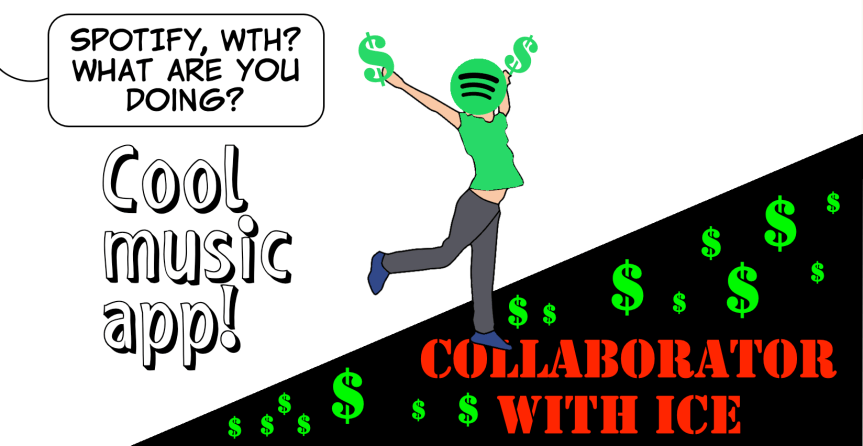
Don’t stream fascism. Help cancel Spotify, even if you’ve never used it!
Spotify is running ads recruiting agents for ICE! A platform built to connect creators and listeners is helping an authoritarian regime build up its secret police force. When users and musicians called them out, Spotify’s first act was doubling down with “everybody-else-is-doing-it” excuses that would make your mother laugh.
But we’re going to make them listen. When the regime tried to cancel Jimmy Kimmel, three million of us canceled our Disney+ streaming service that month, and about 4.1 million canceled Disney-owned Hulu. If enough of us cancel our Spotify subscriptions, it’ll send a clear message that’s too loud for them to ignore.
Yes, there are other problematic companies, such as HBO Max, Hulu, ESPN, HBO Max, Hulu, ESPN, Pandora, X, YouTube, LinkedIn, and Meta. But Indivisible is concentrating on one problematic company at a time. This maximizes our chances of success, which will make other offenders take notice.
Action #1 for everyone – Email Spotify and tell them to stop collaborating with fascism.
Example message: Every day, I watch the trauma caused by ICE attacking our neighborhoods, tearing families apart, injuring and incarcerating American citizens and terrorizing children. It was a huge disappointment to learn that Spotify is collaborating in this trauma by running ads encouraging people to join this lawless, faceless, secret police force.
I do not accept your lame excuses that you are just “part of a broad campaign the US government is running across multiple platforms“, and these ads “do not violate the platform’s policies.” Seriously?
I am encouraging everyone I know to dump your app, until you do the following:
- Immediately terminate all your ICE and DHS advertising contracts.
- Update your Advertising Policy to prohibit government propaganda and hate-based recruitment campaigns.
- Commit to defending civil rights and standing up for communities under threat from authoritarian actions.
Thank you.
Contacts:
- Board of Directors: boardofdirectors@spotify.com
- Daneille McMonagle – Manager, strategy and Operations, Public Affairs: daniellem@spotify.com
- Rajiv Vellodi – Vice President – Global Customer Service: rajivv@spotify.com
- Alex Norström – Co-President, Chief Business Officer: norstrom@spotify.com and alex.norstrom@lifeatspotify.com
- Daniel Ek – Chief Executive: daniel@spotify.com
Action #2 – I am NOT a Spotify user – what should I do next?
Even if you’re not a Spotify Premium subscriber, chances are high that you know someone — a child, grandchild, friend, or social follower — who uses Spotify Premium, and pushing your favorite artists and podcasters to speak out with us is also really helpful.
- First, do Action #1 – write to Spotify and tell them what you think about this issue.
- Use our pre-made social posts to support the Cancel Spotify campaign online. Post to all your favorite social networks to raise awareness of Spotify’s complicity, our campaign, and how to cancel.
- Tag Spotify publicly and urge artists, podcasters, and labels to denounce these ads and oppose the platform complicity.
- Use hashtags: #CancelSpotify #DontStreamFascism #StopICEAds
- Attend a peaceful protest outside Spotify offices*. We’ll share information on peaceful and nonviolent protests as they are planned, and we encourage you to organize a peaceful protest of your own if Spotify has a presence in your community. (The closest is in LA)
Action #3 – I AM a Spotify user – What do I do now?
- First, do Action #1 – write to Spotify and tell them what you think about this issue.
- Cancel it. Indivisible has created a step-by-step video on how to cancel your Spotify Premium subscription, and since we understand it’s tough losing your playlists and saved songs, we have resources to help make the transition to alternative music services smooth:
- Transfer your stuff
- Transferring playlists and music libraries to TIDAL
- Artist-owned, transparent royalty model, and no record of hosting ICE or DHS recruitment campaigns.
- Transferring playlists and music libraries to Apple Music
- Operates under strict ad-placement standards and does not run third-party government recruitment ads.
- Some thoughts on alternatives (https://www.instagram.com/reel/DNYx94MuB-Q/ She also runs an interesting Substack called Cut off the Spigot, with an applicable post here: (https://cutoffthespigot.substack.com/p/latest-boycott-news-roundup)
- Transferring playlists and music libraries to TIDAL

If you prefer written instructions:
- A. If you subscribed directly through Spotify (website)
- Go to spotify.com/account and log in.
- Click “Cancel Premium” (or “Cancel subscription”) .
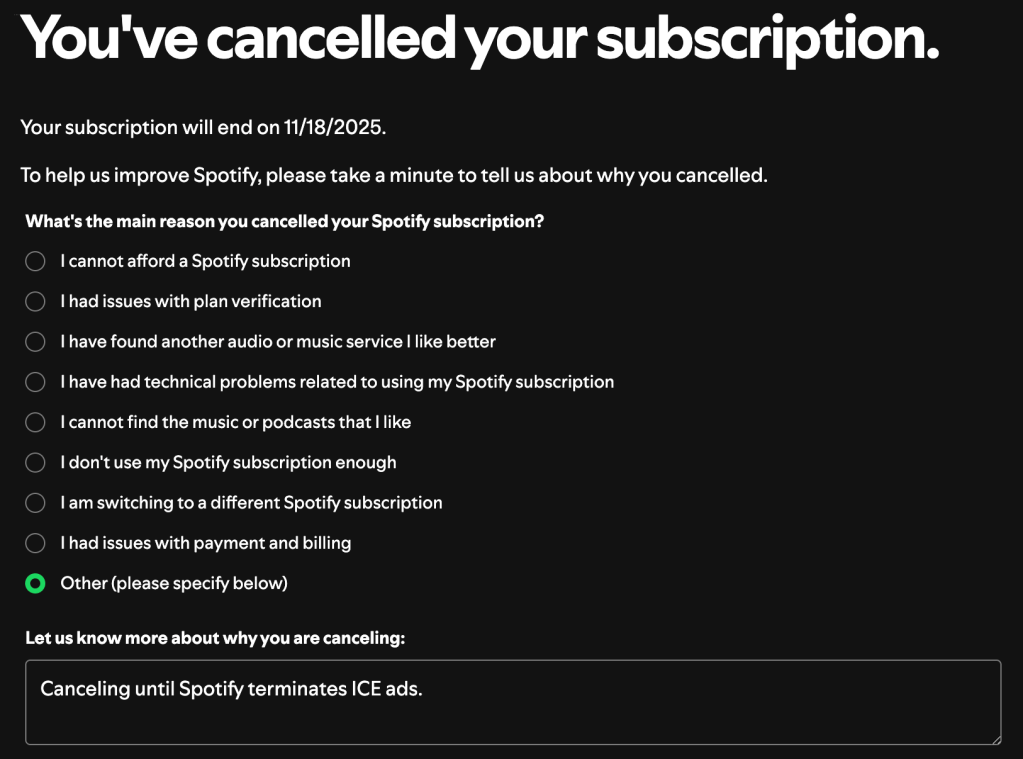
- We encourage you to fill in the reasoning you are canceling and mention “Canceling until Spotify terminates ICE ads.”
- Follow the prompts to confirm cancellation. Your Premium benefits will continue until the end of your billing period, then your account will revert to the Free plan.
- B. If you subscribed via Apple (iOS/iPad)
- On your iPhone or iPad, open the Settings app.
- Tap your name (your Apple ID) → Subscriptions.
- Find Spotify in your list of active subscriptions.
- Tap “Cancel Subscription” and confirm. Your account will revert to Spotify Free once the current billing period ends.
- C. If you subscribed via Google Play (Android)
- Open the Google Play Store app on your Android device.
- Tap your profile icon → Payments & subscriptions → Subscriptions.
- Locate Spotify, then tap “Cancel Subscription” and confirm.
- After your billing period ends, you’ll revert to Spotify Free.
- D. If Spotify Premium is bundled via a mobile/internet provider
- Check your provider’s account (mobile or broadband) for “add-on” or “bundle” details that include Spotify Premium.
- Use their app or website (or call customer service) to remove the Spotify Premium add-on.
- Ensure you receive confirmation that Spotify Premium has been removed and your billing stops.
- Follow the prompts to confirm cancellation. Your Premium benefits will continue until the end of your billing period, then your account will revert to the Free plan.
What Happens After You Cancel
- Your playlist history, saved songs, and liked tracks are not deleted, they remain on your account even when you switch to Spotify Free.
- You’ll lose Premium features at the end of your billing cycle (offline downloads, ad-free listening, unlimited skips, higher audio quality).
- You can re-upgrade to Premium at any time (should Spotify meet our demands).
Profit-driven media giants and their billionaire owners seem to think that going along with the authoritarian Trump regime is the easy thing. They’re following the profits and painting it as neutrality.
But in the face of an unjust regime, neutrality is complicity.
See you soon,
Indivisible Team”
 INDIVISIBLE VENTURA